


How to use kino.dk
|
Read more
at in70mm.com The 70mm Newsletter |
| Written by: Søren Søndergaard from kino.dk | Date: 01.03.2009 |
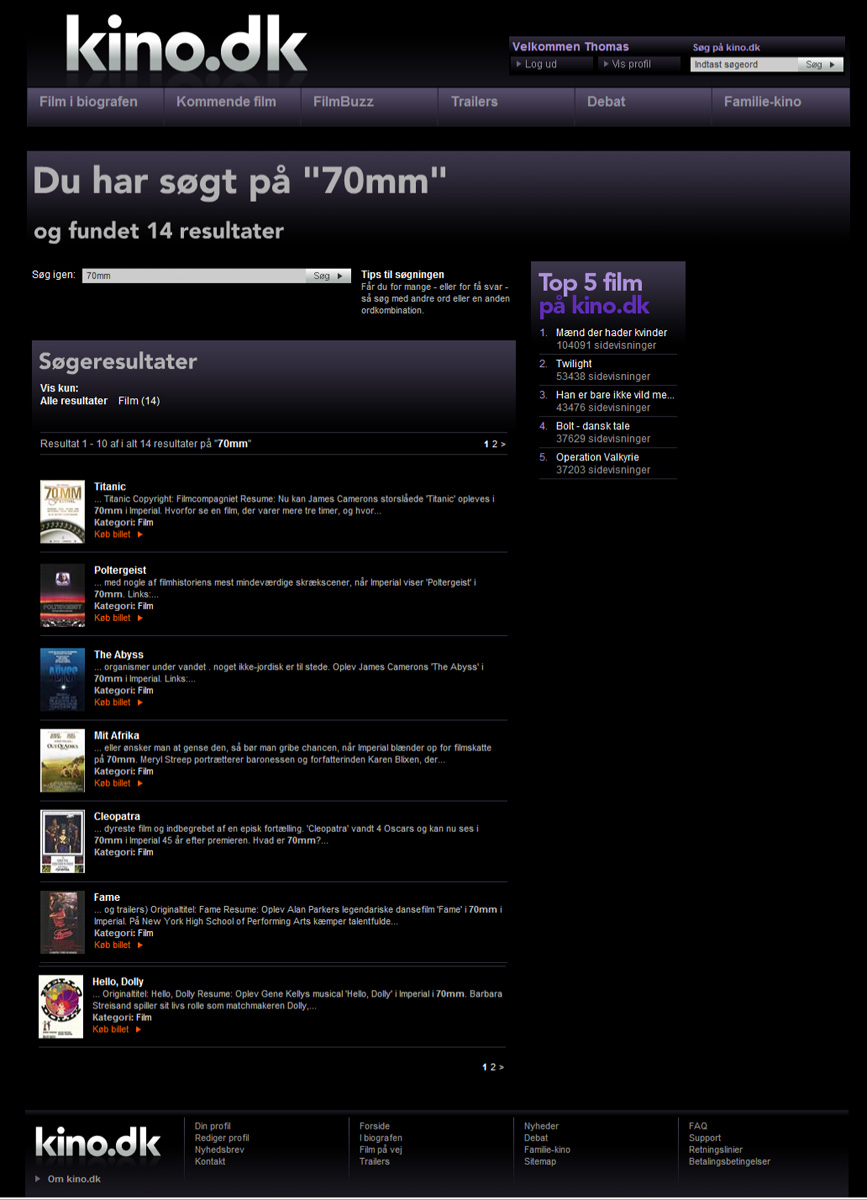 Screen
dump after a "70mm" search. Click image to see enlargement Screen
dump after a "70mm" search. Click image to see enlargementBetween April 26th. and April 30th 2009. the Imperial Cinema in Copenhagen invites you to attend a unique experience: A chance to see 7 of the greatest 70mm films Hollywood ever had to offer - in a classic road-show cinema with 1102 seats! Come and see "Poltergeist", "Fame", The Abyss", "Titanic", "Out of Africa", Patton" and "Hello, Dolly!" in the LARGEST cinema in northern Europe. The easiest way to get tickets is by telephoning direct to kino.dk on (+45) 7013 1211 from 9:30 - 21:30 (9:30 AM – 9:30 PM CET). However, telephoned and internet booked tickets must be collected in Copenhagen within 7 days. Tickets you have paid for can be collected until the film starts. To book or buy your tickets online, please press the specific movie link on this page. Before you can book, you have to create a user account on kino.dk The on-line booking process is in Danish, so here is a quick guide in English: Step 1 Search for "70mm" in the search field. Find the film you want to see and click "Køb billet". |
More
in 70mm reading: 70mm Festival, 2009, Imperial Bio, Copenhagen, Denmark Imperial Bio Internet link: You can pay on-line with all major cards:  Dankort/VISA-Dankort Dankort/VISA-Dankort Diners
Club Diners
Club MasterCard MasterCard Maestro Maestro VISA VISA VISA
Electron VISA
Electron JCB
JCB |
Booking process |
|
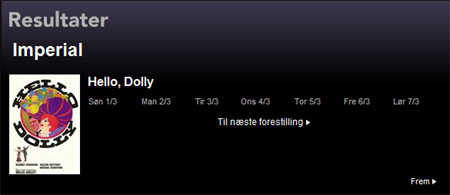 Step
2 Step
2Kino.dk will take you to the current week. If no playdates are visible, click on the link "Til næste forestilling", which will take you to the first performance.. |
|
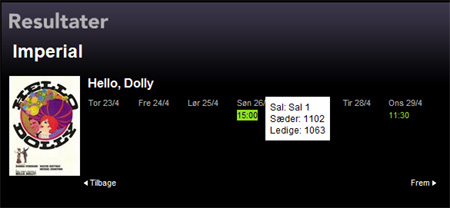 Step
3 Step
3Do a "mouse over" on the preferred performance, and click the time you want to see the film. |
|
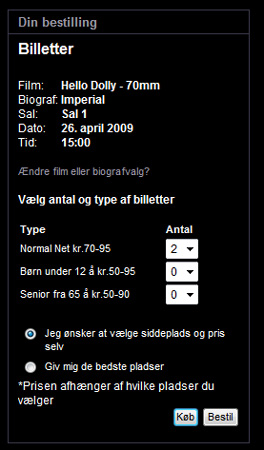 Step
4 Step
4Select the number of tickets you wish to book in the field “normal”, (since you're probably neither a child nor a Danish senior citizen). Note that there are different price categories at the Imperial and there’s a default dot in the field “Jeg ønsker at vælge siddeplads og pris selv”, which means “I’ll choose the seats and price myself”. If you wish to let kino.dk find you the best remaining seats for you (which are usually also the more costly), place the blue dot in the field “Giv mig de bedste pladser” Click "Bestil" (Order) in the lower right corner. If you wish to order the tickets and collect them within 7 days or “Køb” (Buy) if you wish to buy the tickets right away. Should you choose the latter, you have until 15 minutes before the show to collect the tickets. |
|
 Step
5 Step
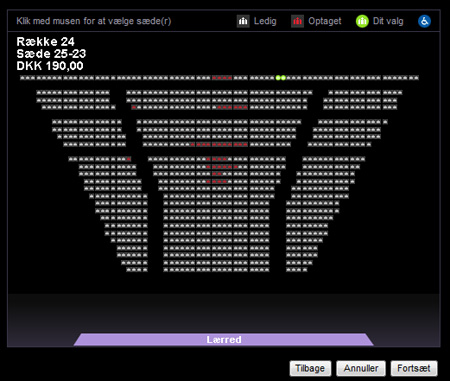
5After "Bestil", a new window opens with a graphic image of all the seats. The two green dots indicates your seats, and the red dots are seats sold already. Remember to have the latest Java version installed on your computer You can change the to any available seats you wish, by clicking on preferred seats. The two green dots will simply move to the new seats. Choose your seats and click "Fortsæt" (continue) in the bottom right corner. |
|
 Step
6 Step
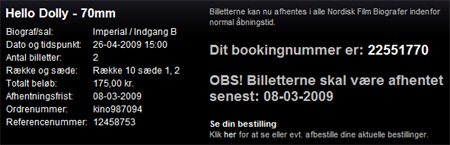
6After clicking "Fortsæt" you will get an e-mail receipt in your in-box with the booking number. You have 7 days to collect the tickets - unless you have bought them right away. |
|
Create your kino.dk user account |
|
 To
be able to use kino.dk you have to open a kino.dk user-account. To do this click
“Opret profil” in the top right corner of the screen image To
be able to use kino.dk you have to open a kino.dk user-account. To do this click
“Opret profil” in the top right corner of the screen image |
|
 The
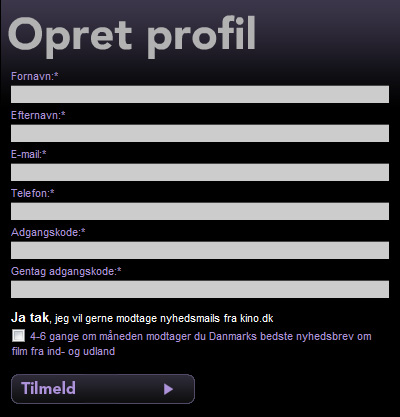
required fields that must be filled in are The
required fields that must be filled in are "Fornavn" (First name) "Efternavn" (Surname) "E-mail" "Telefon" (telephone number) *) "Adgangskode (password) **) "Gentag adgangskode" (repeat password) *) Your phone number must be 8 digits – no more, no less. (for example the last 8 digits in any given telephone number). **) Your password must be at least 6 letters/digits. When you have verified your password click "Tilmeld" (create user account). That’s it! To collect pre-paid tickets, when arriving at the Imperial, type in your order number at the cinema’s ticket-machines. To collect booked - but not yet paid - tickets use your telephone number at the box office. To assist you when you come to the Imperial box office, you might bring along a printed copy of the transaction. |
|
|
Go: back
- top -
back issues
- news index Updated 22-01-25 |
|